

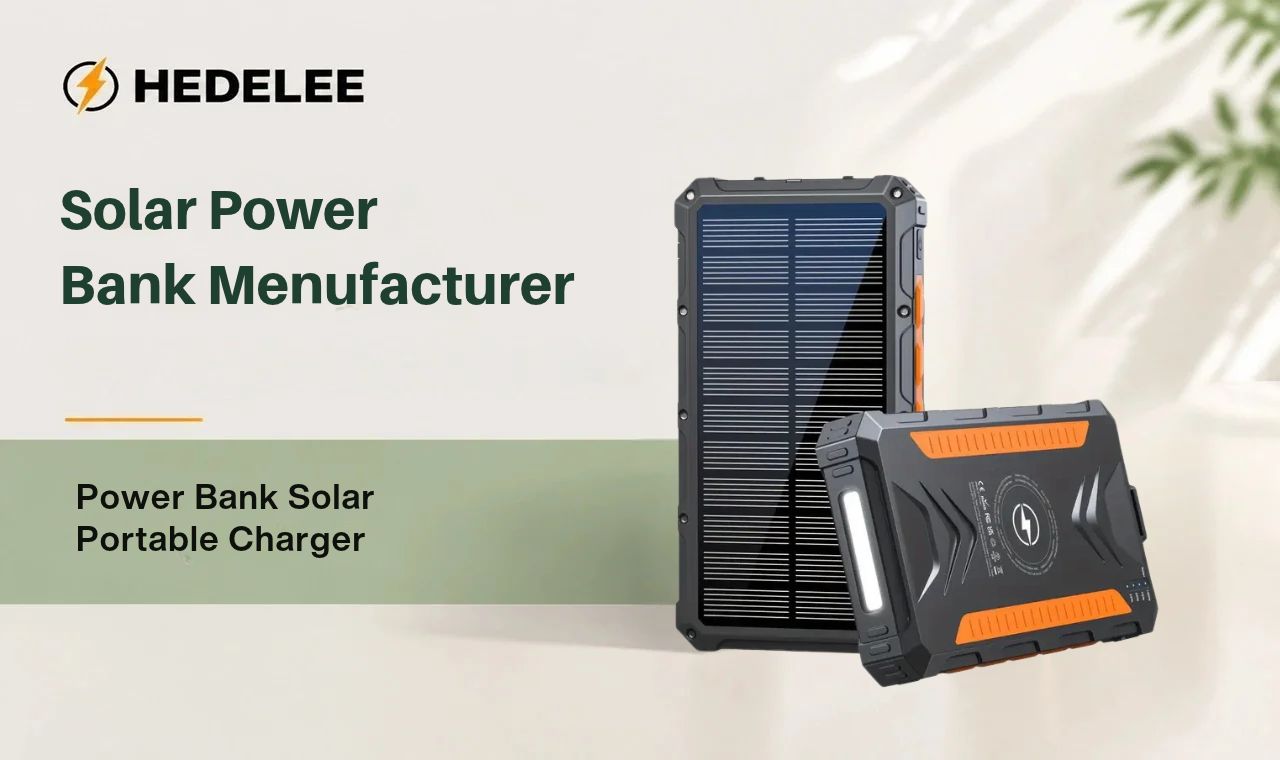
A power bank solar portable charger may spend weeks in a bag before you need it on a trip or during a power cut. Dust, heat, moisture, and poor storage can leave it with less charge—or make it harder to use when you need it. A few simple checks help keep the panel, battery, ports, and cables in good condition. The right care also helps buyers and product teams set clear instructions for customers. The main rule is to follow the model’s manual, since charging limits and water resistance can vary.
Power bank solar portable charger: what needs maintenance?
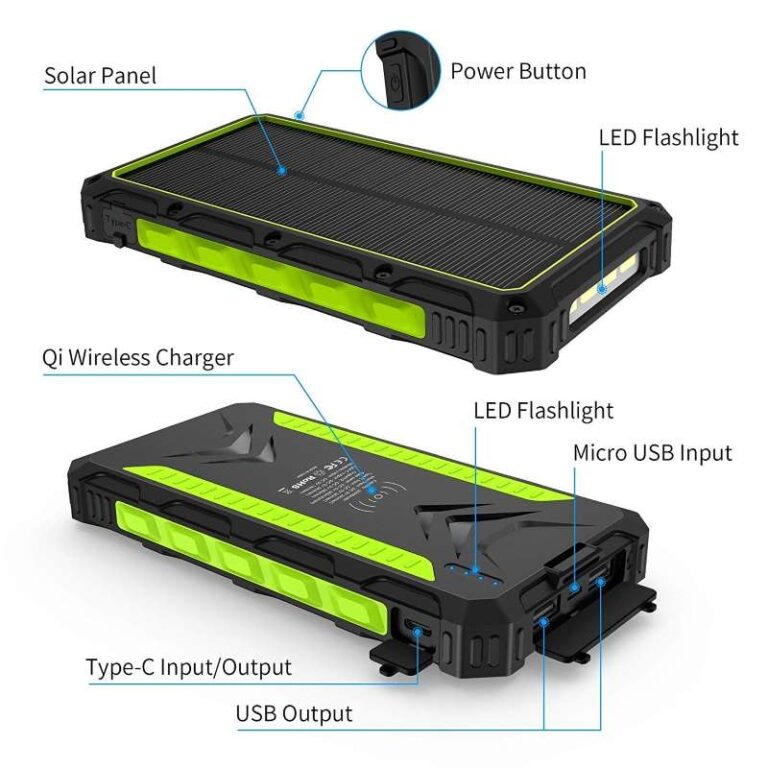
A solar power bank combines a rechargeable battery with a small solar panel, charging ports, a control circuit, and sometimes extra features such as built-in cables, wireless charging, or a flashlight. These parts have different care needs.
The panel needs a clean, clear surface to receive light. The battery needs suitable charging and storage conditions. Ports and cables need protection from dust, moisture, and physical strain. The outer case needs checks for cracks, swelling, or other damage.
Maintenance does not mean opening the device or trying to repair its battery. It means keeping the outside clean and dry, using compatible charging equipment, storing it sensibly, and checking for signs of damage. If the device behaves unusually, stop using it and contact the supplier or manufacturer for guidance.
Care also depends on how often the power bank is used. A unit that stays in an emergency kit needs periodic charge checks. One carried on hikes or used at work may need a quick inspection after each outing. Buyers who supply a solar power bank to customers should provide clear instructions for the model they sell, rather than relying on general advice alone.
How to clean the panel and case
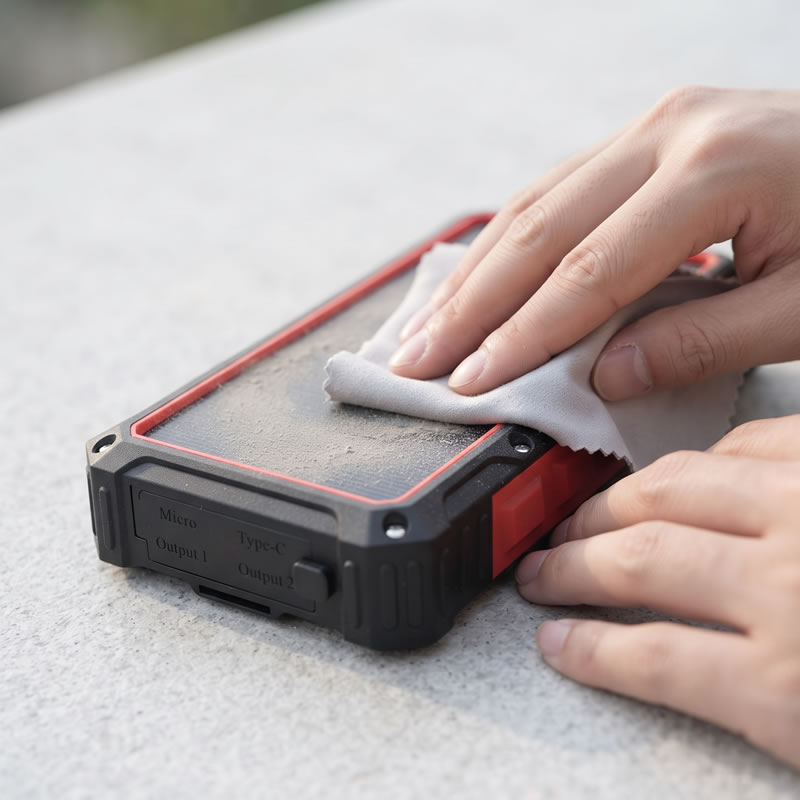
A dusty panel may receive less light, so wipe it when dirt or fingerprints are visible and after a trip through sand, mud, or heavy dust. The U.S. Department of Energy lists dirt, dust, and shade among the factors that affect solar energy production. A small charger’s actual output also depends on its panel size, position, and the power bank’s design. DOE guidance on solar energy and storage.
Use a soft, dry, lint-free cloth first. Wipe gently; avoid scraping grit across the panel, which can scratch its surface. If a dry wipe is not enough, check the manual before using a slightly damp cloth. Do not spray liquid directly on the unit, and keep water away from ports, seams, and switches.
For the case, remove loose dirt with the same soft cloth. Avoid abrasive pads, solvents, strong cleaners, and household chemicals unless the manufacturer specifically approves them. These can damage the case, panel coating, printed markings, or seals.
After cleaning, leave the power bank somewhere dry and shaded until all surfaces are dry. Check that no lint or dirt remains in the ports before connecting a cable. A brush or sharp object can damage the connector, so do not dig inside the port. If debris is stuck, follow the maker’s cleaning instructions or ask for service advice.
A useful routine is to inspect the panel before placing it in sunlight. If it is clean, uncracked, and unobstructed, there is no need to wipe it every day. Clean it when it needs cleaning, and handle it gently.
How to charge and store the battery
Use the charging method and compatible input listed in the product manual. For regular charging, a suitable wall adapter or other approved power source is usually easier to control than sunlight. The built-in panel can help replenish the battery outdoors, but charging speed depends on sunlight and the device’s panel and circuit.
Avoid leaving the power bank completely discharged for a long period. If it will be stored, charge it to the level recommended in its manual and check it periodically. Battery chemistry and storage guidance differ by model, so a fixed percentage or schedule should not be treated as universal advice. If the manual gives no schedule, checking the charge every few months is a practical reminder.
Keep the unit in a cool, dry place, away from heaters, direct sun through a window, and hot vehicles. Do not leave it charging on a surface that traps heat. A power bank may warm during use or charging, but if it becomes unusually hot, stop charging and let it cool in a safe place. If the case is swollen, leaking, or gives off an unusual smell, stop using it and contact the supplier.
Do not assume that leaving a power bank in direct sun all day is a good way to maintain it. Sunlight is needed for solar charging, but heat can build up in the device. When using the built-in panel, check it from time to time and move it out of hot conditions if the case feels unusually warm. For a separate solar panel, position the panel in the sun while keeping the battery unit shaded, if the cable and setup allow.
There is no general need to run the battery from full to empty to “reset” it. Routine deep discharge can add unnecessary strain. Use the device as directed, recharge it when needed, and follow the manufacturer’s guidance for long-term storage. If a power bank will sit unused for months, a periodic charge check can help you find out whether it is still ready for service.
How to care for ports, cables, and wireless charging surfaces
Ports and cables take wear from repeated plugging, pulling, and outdoor exposure. Check them before charging, especially after the power bank has been carried in a backpack or used near sand, rain, or dust.
Look for bent connectors, cracked cable jackets, loose ports, or dirt around the opening. Do not force a cable into a connector that does not fit. Use the cable and input type specified for the model. A cable that works with one solar mobile phone charger may not suit another device’s charging input.
When disconnecting, hold the plug rather than pulling the cable. Keep unused ports covered if the product comes with a port cover, and do not store the unit with a cable sharply bent around it. If a cable is detachable, pack it separately or coil it loosely.
For wireless charging models, keep the charging surface dry and clear of grit. Place the phone as directed in the manual. If charging stops or becomes intermittent, remove the phone and check that both surfaces are clean and properly aligned. Avoid placing loose metal objects between the phone and the charging pad.
If a connector is wet, dirty, or damaged, do not connect it to a power source. Let it dry fully, and contact the supplier if the port remains loose or the charging problem continues. Keeping cables in good condition is a small task that can prevent many avoidable charging problems.
How to get useful solar charging
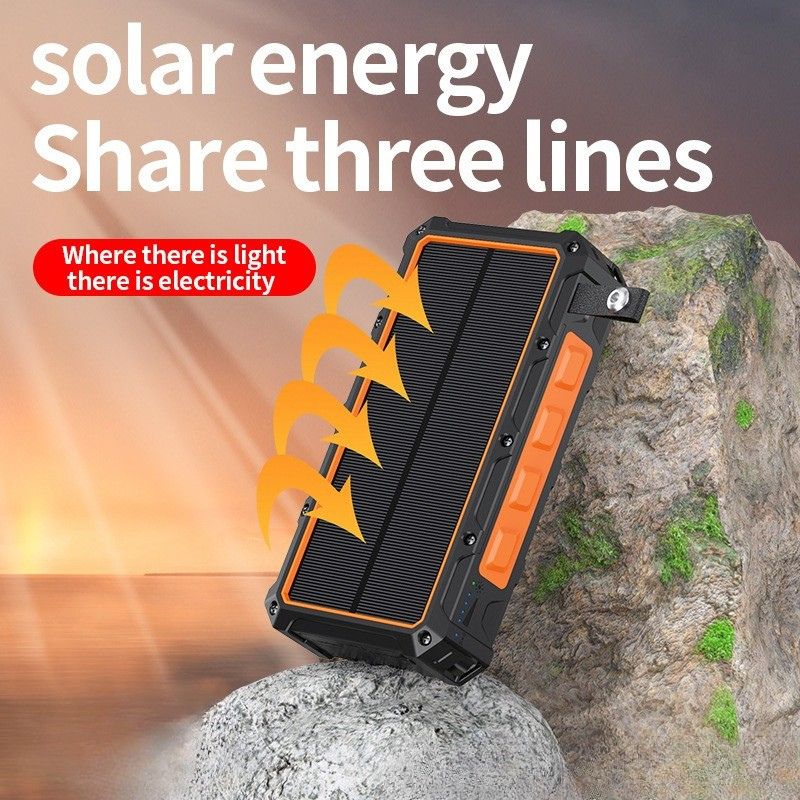
For better solar charging, place the panel where it receives direct, unobstructed light and adjust its angle as the sun moves. Shade from a tree, tent edge, or even part of a hand can reduce the available sunlight. Clouds, dust, haze, and the time of day can also change solar output.
A built-in panel is convenient for topping up a solar phone charger while outdoors, but it may charge slowly compared with a wall adapter. Do not rely on it as the only charging plan for a long trip. Charge the unit before leaving, carry a compatible cable, and treat solar input as extra power unless the model’s manual says otherwise.
If using a separate panel, confirm that its output matches the power bank’s input limits. Check the connection type, voltage, current, and any required adapter before plugging it in. An incompatible panel or cable may fail to charge or could damage the device.
A few practical habits help:
- Keep the panel facing the light rather than flat under a bag flap.
- Move it when shade crosses the surface.
- Keep the battery pack itself out of excessive heat where possible.
- Check the battery indicator periodically rather than assuming sunlight is charging it.
- Disconnect and store the equipment when rain or moisture could reach open connectors.
These points apply whether a customer searches for a solar cell phone charger, a solar mobile phone charger, or a solar powered power bank. The label alone does not tell you how quickly the unit will charge. Panel size, sunlight, battery capacity, input limits, and the phone’s power needs all affect results. For work trips or emergencies, plan around the wired charging specification and treat solar input as a supplementary source unless the product documentation confirms expected charging times.
How to inspect for damage and moisture
After a trip or a fall, examine the case, panel, ports, and cables before charging. Look for cracks, dents, loose parts, deep scratches, a damaged panel, or signs that water has entered the unit. A quick visual check is especially useful after exposure to rain, condensation, sand, or hard knocks.
Water resistance varies by model. A rating shown on one product does not apply to another model, and a splash-resistant design is not necessarily safe to immerse. Saltwater, soap, and pressurized water can affect seals differently from ordinary rain. Check the manual for the exact rating and its limits. Even if a device is described as water resistant, dry it fully before connecting a cable or charging it.
Stop using the power bank if the battery case bulges, the unit leaks, the surface becomes unusually hot, or you notice smoke or an unusual smell. Do not open the casing, puncture the battery, or try a home repair. Move the unit away from flammable materials if it is safe to do so, and follow the manufacturer’s advice for service or disposal.
Lithium battery incidents can involve overheating or fire. The U.S. Consumer Product Safety Commission lists safety standards for batteries and portable power packs, including UL 2743. Buyers can ask suppliers which safety tests and documents apply to the exact model and target market; a product listing alone may not answer that question. CPSC information on battery safety standards.
If a unit is wet, do not plug it in to see whether it still works. Keep it disconnected, let the outside dry, and consult the manual or supplier before using it again. For serious damage, stop using it and ask about the correct local battery disposal route.
Power bank solar portable charger: what buyers should compare
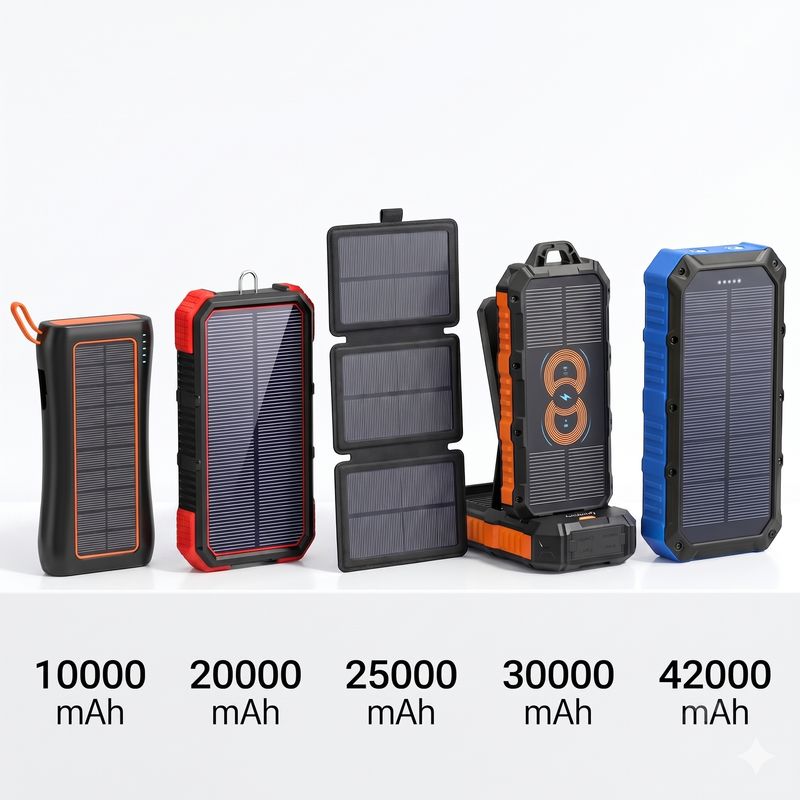
A product’s care needs depend on its design. A model with built-in cables has fewer loose accessories to manage, while a folding panel may need careful handling at its hinges. A wireless charging surface needs protection from grit. Buyers should compare intended use, charging inputs, case design, instructions, and the documentation supplied with each model.
The solar power bank range includes different designs. These product pages can help with initial comparisons; confirm current specifications, included accessories, water resistance, and actual battery capacity with the supplier before placing an order.
| Product option | What to check for care and use |
|---|---|
| HDL-218 wireless power bank with flashlight | Confirm its input and output details, wireless charging instructions, and water-resistance limits. |
| Foldable outdoor solar charger | Ask how to fold and store the panel, and whether the panel needs a separate compatible power bank. |
| HDL-531 solar power bank with cables | Check the confirmed battery capacity, cable types, and instructions for wireless charging. |
| HDL519X dual USB model | Verify the port specifications and the care guidance for outdoor use. |
| 10,000 mAh wireless model with strong light | Confirm its actual capacity, wireless charging instructions, and flashlight controls. |
| 25,000 mAh model with dual USB ports | Check the input rating, port output, and exact water-resistance rating. |
| HDL528 solar charger with USB-C | Confirm capacity and charging specifications against the current datasheet. |
| HDL519 camping charger | Review its solar input, wired charging limits, and care instructions before use. |
| HDL529 four-cable wireless model | Check the actual capacity, cable configuration, wireless charging details, and IP rating. |
| Waterproof 20,000 mAh solar power bank | Confirm what the listed water resistance covers and whether ports must be closed during exposure. |
| HDL-628 four-cable wireless model | Ask for the confirmed battery capacity, cable compatibility, and charging instructions. |
Product pages can show different or inconsistent figures for advertised and actual capacity. For example, the HDL529 and HDL528 listings describe solar panels and charging features, but buyers should confirm the final specification sheet for the version they plan to order. solarpowerbank.cn Request a current datasheet, manual, packaging details, and test documents for the exact SKU. This lets procurement teams prepare accurate care instructions and avoid relying on assumptions from a product title.
A simple maintenance routine for teams and customers
A short routine helps keep products ready without asking users to perform technical work. For a device used often, check it before trips and after rough handling. For a unit kept in a vehicle, office drawer, or emergency kit, add a periodic battery check to the inventory calendar. Follow the model’s manual if it gives a different interval or storage level.
Before use
- Check the charge indicator and confirm that the power bank is ready.
- Look for visible cracks, swelling, loose ports, or damaged cables.
- Make sure the panel and ports are clean and dry.
- Confirm that the planned cable or solar input matches the model.
After outdoor use
- Wipe away dust with a soft cloth.
- Let the unit dry fully before charging if it has been exposed to moisture.
- Inspect the case, panel, cable, and connectors.
- Store it in a dry place away from heat and pressure.
For companies supplying units to customers, keep the model number, manual, capacity, input limits, and water-resistance rating together in the product file. Use the exact model’s details in packaging and after-sales replies. A clear instruction sheet can explain how to clean the panel, where to store the device, and when to stop using it and ask for service. This is useful for a solar power bank battery charger sold with different cable layouts or accessories, since the care instructions should match the actual unit.
FAQs about solar power bank maintenance
How often should I clean the solar panel?
Clean it when dust, fingerprints, or mud are visible, and check it after outdoor use. A soft dry cloth is usually the first choice. Follow the model’s manual before using moisture or any cleaning product.
Should I leave a solar power bank in the sun all day?
No. Sunlight may charge the panel, but heat can build up in the battery unit. Check it periodically, keep the battery shaded where possible, and follow the manual’s temperature limits.
Can I charge the power bank while it is wet?
Do not connect a wet power bank or cable to a charger. Dry the outside and ports fully, then check the manufacturer’s instructions before use. If water may have entered the case, contact the supplier.
How should I store a solar power bank for several months?
Use the storage level recommended in the manual. Keep the device in a dry, cool place and check its charge periodically. Avoid storing it completely empty or in a hot car.
Why does the solar panel charge slowly?
Solar charging depends on panel size, sunlight, shade, angle, weather, and the power bank’s input limits. A small built-in panel may be intended for supplementary charging. Check the manual for its expected use and charging time.
Does a solar phone charger need to be drained fully before recharging?
There is no general need to fully discharge it as a routine. Recharge it as needed and follow the model-specific instructions for storage and charging.
What does “bank power solar” mean?
It is a word-order variation people may use when searching for a solar charging power bank. When comparing products, focus on the model’s confirmed battery capacity, solar input, wired charging limits, and care instructions.
Can a solar power bank charge a phone through its panel?
The panel usually charges the power bank’s internal battery. The phone then draws power from the bank through a supported output, such as a cable or compatible wireless charging surface. Check the product manual for the available outputs.
For model details, sample requests, or a current quotation, contact Shenzhen Hedeli Technology Co., Ltd. directly. The company has worked in mobile accessories and consumer electronics for about 10 years, has more than 100 employees, and operates a factory in Dongguan with a monthly capacity of 50,000 units. Its team can provide direct information about product specifications, customization, and care instructions for the selected model.